
Morse Code QR Code Generator: Turn Messages Into Morse QR Codes
You have a secret Morse message
Someone sent you a message hidden in Morse code. Here it is:
Turn a short message into dots and dashes, then into a QR code that anyone can scan. No sign-up, no app, no cost. Type above, and your Morse QR code appears at once.
A birthday card with a square black-and-white code printed on it. A wedding invitation that hides a question. A treasure hunt where the next clue is locked inside dots and dashes. A Morse code QR code turns a plain message into a small puzzle that anyone with a phone can solve in seconds, and this page makes one for you free, with no sign-up and nothing to install.
Type a message in the tool above and it becomes Morse code at once. The same message becomes a secret link, and the secret link becomes a QR code that you can print, share, or stick on a gift. When someone scans the code, their phone opens this page and shows your message in plain words, with the dots and dashes beside it, so the surprise lands exactly as you planned it.
What Is a Morse Code QR Code Generator?
A Morse code QR code is a normal QR code with a hidden twist. A normal QR code usually holds a web address, a Wi-Fi password, or a plain piece of text. This one holds a link to this page, and inside that link sits your message written in Morse code. The phone does the work: it scans the squares, opens the link, and this page reads the dots and dashes back into words.
That gives you two layers. The first layer is the QR code itself, which most people will not try to read by eye. The second layer is the Morse code, which looks like a random string of dots and dashes to anyone who does peek at the link. It is not a lock, and it is not encryption. It is a disguise, and for gifts, games, and invitations, a disguise is exactly what you want.
How a QR Code Holds Your Morse Message
A QR code is a way to store text in a picture. The black and white squares are not decoration. They are the text itself, written in a pattern that a phone camera can read fast and without mistakes. The text stored in your code is a web link, and your Morse message rides inside that link, after the words ?secret= in the address.
| Step | What happens | Example |
|---|---|---|
| 1. You type a message | Plain words go into the tool | HELLO |
| 2. It becomes Morse | Each letter turns into dots and dashes | .... . .-.. .-.. --- |
| 3. Morse goes into a secret link | The Morse is added to the page address | morse-code-qr-code-generator/?secret=....%20.%20.-..%20.-..%20--- |
| 4. The link becomes a QR code | Scanning the code opens the link | Your phone shows HELLO on this page |
Why put Morse in the link instead of plain words? Because plain words in a link are readable at a glance. Morse keeps the message hidden until the page opens and decodes it, which keeps the surprise safe.
QR codes do have limits. A short message makes a simple code with big, clear squares that almost any phone can read, even from a small print. A very long message makes a dense code with tiny squares that is harder to scan. That is why this tool warns you when a message is too long for a good QR code. Short messages, up to about 35 characters, give the most reliable codes.
How to Make Your Morse QR Code
Making your first Morse QR code takes less than a minute. Follow these steps, and test the result with your own phone before you print it or send it to someone else.
- Type your message. Keep it short and clear. Names, dates, and one-line questions work best.
- Pick a character limit. Choose 60, 120, or 240 characters. The limit keeps the message short enough for a clean code.
- Check the live Morse. Watch the dots and dashes appear as you type, and press Play to hear the message at real Morse speed.
- Press Test – Decode It Back. The tool reads the Morse back into words, so you can confirm the message is exactly right.
- Copy the secret link or download the QR code. The link works on its own in a text or an email. The PNG image is ready to print or to paste into a card. Pick a PNG size (small, medium, or large) and a QR colour first, or press Print QR to print it straight away.
- Scan it yourself first. Point your phone camera at the code. If your phone opens this page and shows your message, it is ready to share.
That last step matters more than the rest. A code that scans on your phone will scan on almost any phone. A code that you never test is a surprise that might not work.
The Morse Code Alphabet You Need
Every letter and number in Morse code is a short pattern of dots and dashes. A dot is a quick tap. A dash lasts three times as long as a dot. The gaps matter just as much as the taps: a short gap separates the taps inside one letter, a longer gap separates letters, and the longest gap separates words.
| Letter | Code | Letter | Code | Letter | Code |
|---|---|---|---|---|---|
| A | .- | J | .--- | S | ... |
| B | -... | K | -.- | T | - |
| C | -.-. | L | .-.. | U | ..- |
| D | -.. | M | -- | V | ...- |
| E | . | N | -. | W | .-- |
| F | ..-. | O | --- | X | -..- |
| G | --. | P | .--. | Y | -.-- |
| H | .... | Q | --.- | Z | --.. |
| I | .. | R | .-. | 0 | ----- |
| 1 | .---- | 2 | ..--- | 3 | ...-- |
| 4 | ....- | 5 | ..... | 6 | -.... |
| 7 | --... | 8 | ---.. | 9 | ----. |
Start with the easy letters. E is one dot, T is one dash, and together they teach you the whole rhythm. S is three dots, O is three dashes, and SOS is the most famous Morse message in the world: three dots, three dashes, three dots. The Play button on this page lets you practice with your own words.
Seven Creative Ways to Share a Morse QR Code
A Morse QR code is at its best when the person who finds it has to work just a little to open it. The small effort makes the message feel earned. Here are seven ideas that work well, from birthday mornings to wedding days.
- Birthday gifts. Print the code on a tag and tie it to the gift. The message could be a clue about what is inside.
- Wedding invitations and proposals. Hide the date, the venue, or the big question itself in the code.
- Treasure hunts and scavenger hunts. Each code leads to the next clue, and the last one reveals the prize.
- Classroom puzzles. Teachers can hide a quiz answer or the next step of a lesson in a code on the board.
- Greeting cards. A QR code lets you add a whole hidden message without spoiling the design of the card.
- Party games. Give each team a different code. The first team to decode all of their messages wins.
- Business cards and luggage tags. A code on a card can hold a short greeting or a nickname.
The rule for all seven is the same: keep the message short, test the code before you share it, and make sure the person who receives it has a phone that can scan a QR code. Almost every modern phone can, straight from the camera, with no extra app.
Printing Your Morse QR Code So It Always Scans
A QR code on a screen is easy to scan, because the screen is bright and flat. A printed code has to survive paper, ink, light, and hands, so a little care in printing makes a big difference. The most important choice is size. You can also press the Print QR button above the download buttons: it opens a clean print page with just your code, so nothing else from the page ends up on the paper.
| Printed size | Best scanning distance | Good for |
|---|---|---|
| 2 cm | Up close, phone in hand | Gift tags and business cards |
| 3 cm | About 30 cm away | Greeting cards and invitations |
| 5 cm | About 1 metre away | Posters on a wall and party signs |
| 10 cm | About 2 metres away | Classroom boards and shop windows |
| 15 cm | About 3 metres away | Large signs and event banners |
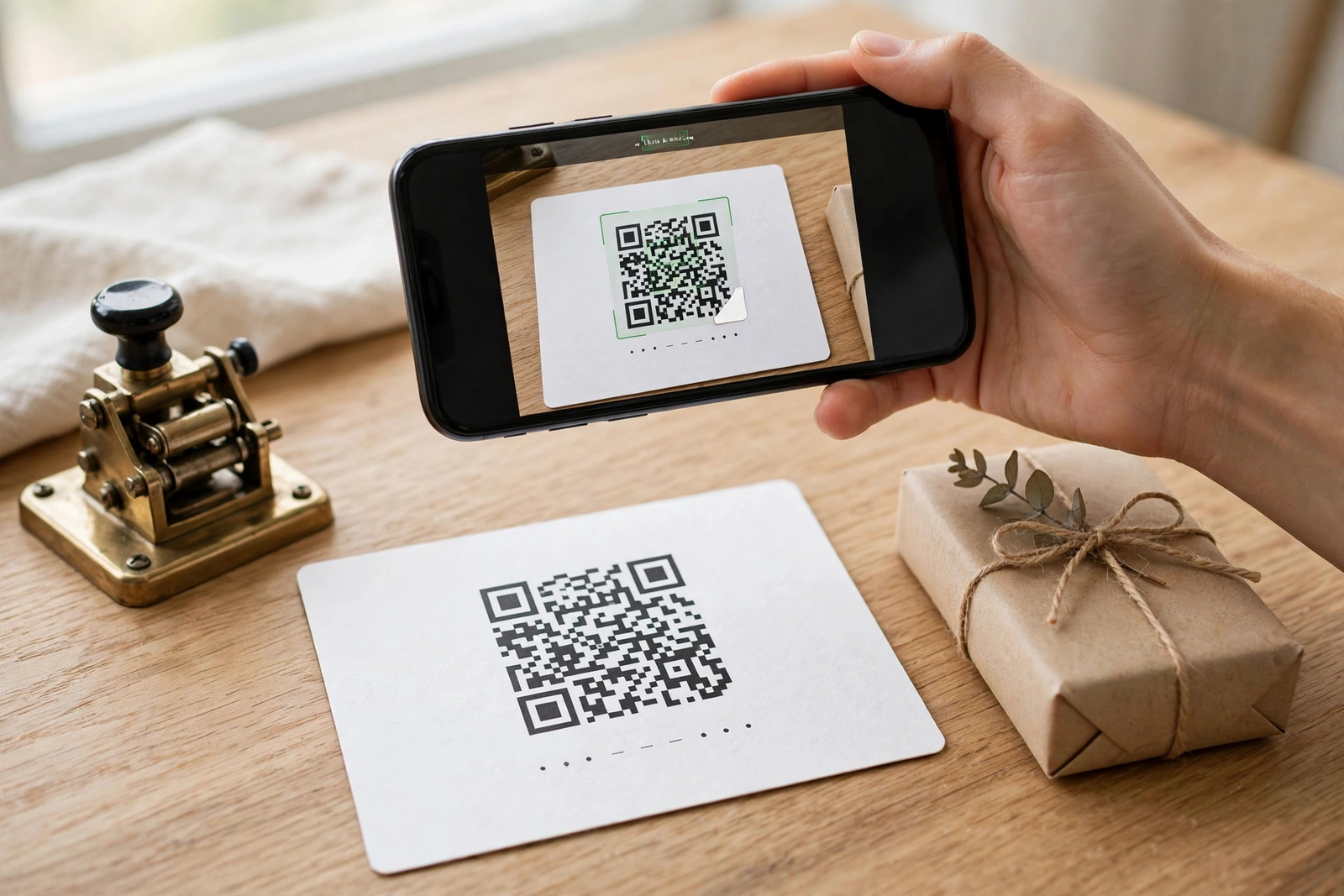
- Use strong contrast. Black squares on a white background scan best. Pale colours and busy patterns cause failures.
- Choose matte paper over glossy paper. Glossy paper reflects light into the camera, and glare can hide the squares.
- Keep a white border around the code. The empty white space, called the quiet zone, tells the camera where the code starts and ends.
- Never stretch or squeeze the code. Keep the square exactly square. A stretched code will not scan.
- Print one test copy first. Scan the test with your phone in normal room light before you print fifty copies.
- Keep the code flat and clean. Folds, creases, and stains across the squares can break the pattern.
If you follow those six points, your printed code will scan on the first try for almost everyone. If a code still fails, the cause is almost always size, contrast, or glare.
Scanning Tips
Most scanning problems are small and easy to fix. If a code does not scan at once, work through this list before you decide the code is broken.
- Move into good light. A dim room makes the camera guess, and a guess is often wrong.
- Hold the phone steady and let the camera focus. Moving the phone while it reads is the most common cause of a failed scan.
- Fill the frame with the code, but leave the white border visible. Too far away and the squares are tiny. Too close and the edges get cut off.
- Clean the camera lens. A fingerprint on the lens blurs the squares just enough to stop a scan.
- Try the phone camera first, then a QR scanner app if the camera does not react. Almost all modern phones scan from the camera.
- Turn off the flash if it causes glare on glossy paper, and turn it on if the room is dark.
- Short messages scan faster than long ones, because their codes have bigger squares. If a long code struggles, use the secret link instead.
Privacy: What Your Morse QR Code Really Shares
It is worth knowing exactly what happens to your message. This tool builds the QR code inside your own browser, on your own device. Your message is not sent to a server, not saved in an account, and not stored anywhere by this page. The message lives only as dots and dashes inside the link, and inside the picture of the code that you download.
That also means the message is only as private as the link. Anyone who scans the code, or anyone who opens the secret link, can read the message in plain words. Morse code hides a message from a casual glance, but it does not encrypt it. Never put a password, a home address, or a bank detail into a Morse QR code.
Think of it the way you would think of a note in a sealed envelope. The envelope keeps the note private from people who walk past, but anyone who opens it can read it. Print a Morse QR code on a gift and anyone who finds the gift can scan it. For a birthday surprise or a treasure hunt, that is the whole point.
Morse Timing, in Plain Words
Morse code is not just dots and dashes. It is dots and dashes with exact timing, and the timing is what turns a string of taps into readable words. The international rules are simple, and the Play button on this page follows them exactly, so what you hear is real Morse code at a real speed.
- A dot lasts one unit of time.
- A dash lasts three units, three times as long as a dot.
- The gap between taps inside one letter lasts one unit.
- The gap between letters lasts three units.
- The gap between words lasts seven units.
Speed is measured in words per minute, and the length of one unit comes from the speed: dot length in milliseconds is 1200 divided by the speed. At 20 words per minute, a dot lasts 60 milliseconds and a dash lasts 180 milliseconds. At 5 words per minute, a dot lasts 240 milliseconds, which is slow enough for a complete beginner to follow. Start slow, and raise the speed only when the slow speed feels easy.
Morse QR Codes for Weddings and Proposals
A wedding proposal hidden in Morse code is a story a couple will tell for the rest of their lives. The question itself can sit on a card, a ring box, or a table decoration as a black-and-white square that looks like nothing at all — until someone scans it and the words appear. The same trick works for a wedding invitation: the date and the venue are public, but a second message, a private joke, or the words “will you marry me” can hide in the code for one person to find.
The trick is to keep the hidden message short. A proposal is four words. A date and a place is one line. Short messages make simple QR codes with big squares that scan on the first try, even printed small on a card. A long message makes a dense code that needs a bigger print and better light, which is the last thing you want on a wedding day. The moment matters more than the message length, and a short message protects the moment.
| Occasion | Message idea | Why it works |
|---|---|---|
| Proposal | WILL YOU MARRY ME | Four words, one unforgettable scan |
| Wedding invitation | OUR DAY IS JUNE 12 | Guests keep the card and the secret |
| Anniversary gift | TEN YEARS AND COUNTING | A private message on a public gift |
| Save the date | SAVE THE DATE | Short, scannable, easy to share |
| Thank-you card | THANK YOU FOR COMING | A personal note hidden in plain sight |
| Engagement party | SHE SAID YES | The news, hidden until the scan |
Five steps to hide a proposal in a Morse QR code:
- Write the question in plain words first. Four to six words is ideal. Read it out loud — if it sounds right spoken, it will read right scanned.
- Make the code and test it on your own phone. Scan it in the room where it will be found, in the same light, at the same distance.
- Print it on something worth keeping. A card, a tag, or the inside of a ring box beats a loose piece of paper.
- Keep the plain message out of sight. Do not print the words anywhere near the code, or the surprise is gone.
- Have a backup plan. If the phone will not scan, be ready to read the message yourself — the moment matters more than the method.
One warning: test the code on the phone of the person who will scan it, not only on yours. Phones differ, and a code that scans instantly on one camera can struggle on another. A test on the real phone, in the real place, is worth more than ten tests on your own device. And when the scan works and the words appear, put the phone down. The code did its job. The rest of the moment belongs to the two of you, not to a screen.
QR Code Error Correction: Why Your Morse QR Code Still Scans When Damaged
A QR code can be scratched, stained, folded, or partly covered — and still scan. That is not luck. Every QR code carries spare copies of its own information, a system called error correction. If part of the pattern is damaged, the phone rebuilds the missing pieces from the spare copies and reads the code anyway.
There are four error correction levels. Level L, which this tool uses, can rebuild about 7 percent of a damaged code. Level M rebuilds about 15 percent, level Q about 25 percent, and level H about 30 percent. Higher levels are tougher, but they also make the code denser, because the spare copies take up space. Level L keeps the code as simple and as easy to scan as possible, which is the right trade for a short message on a gift or a card. A short message at level L has big, clear squares and plenty of room to spare, so it scans fast even on an older phone.
| Level | Damage it can rebuild | Best for |
|---|---|---|
| L (Low) | About 7% | Clean prints, gifts, invitations |
| M (Medium) | About 15% | Posters and signs handled by many people |
| Q (Quartile) | About 25% | Outdoor signs and tickets |
| H (High) | About 30% | Factory floors and rough conditions |
Even with error correction, the three big squares in the corners — the finder patterns — must stay readable, because they tell the camera where the code is and which way up it goes. Damage to the middle of the code is usually fine. Damage to a corner square is often fatal. That is why the print tips on this page matter: a clean print, a white border, and a flat surface protect the parts of the code that cannot be rebuilt.
Five ways to protect your Morse QR code:
- Print it larger than you think you need. Bigger squares survive more damage, and a code that is twice as big is roughly twice as tough.
- Keep the white border clear. The quiet zone around the code is part of the pattern. Text or decoration touching the code confuses the camera.
- Use matte paper. Glare from glossy paper hides squares from the camera, and hidden squares count as damaged squares.
- Laminate codes that will be handled. A clear laminate over a gift tag or a luggage tag stops scratches and stains.
- Print a spare. For a treasure hunt or a wedding, carry one extra printed copy. If one code fails, the spare saves the day.
Think of error correction as insurance, not magic. It forgives small accidents, but it cannot rescue a code that is torn in half or printed so small that the squares blur together. A short message, a clean print, and a quick test scan will do more than any error correction level ever could. Choose the large PNG size for anything that will be printed big, and the medium size for cards — both are in the size selector above the download button.
A Short History of the QR Code
The QR code was invented in 1994 by a Japanese company called Denso Wave, which made parts for Toyota. The factory needed a better way to track car parts than the old barcode, which could only hold about twenty characters and had to be scanned from one direction. A young engineer named Masahiro Hara spent two years on the problem, and the answer he found was a square code that could be read from any angle and hold far more information.
The first QR codes tracked car parts on a factory floor. Within a few years they were on train tickets, on food packaging, and on posters in Japan. In 2000 the code became an international standard, and when smartphones arrived with cameras good enough to read it, the QR code spread around the world. The pandemic made it part of daily life, when restaurants replaced paper menus with a code on the table.
- 1994: Denso Wave releases the first QR code, for tracking car parts in Toyota factories.
- 1997: The code is adopted for food, medicine and retail in Japan.
- 2000: The QR code becomes an international standard, ISO/IEC 18004.
- 2002: The first mobile phones with built-in QR readers appear in Japan.
- 2010: Smartphones around the world can read QR codes from the camera.
- 2020: Restaurants, tickets and payments use QR codes everywhere after the pandemic.
The Morse code on this page adds one more chapter to that story. The QR code was invented to hold information in a picture, and Morse code was invented to send information as sound. Put together, they hide a message in a picture that only opens into words when you scan it, which is a new use for two inventions that are 150 years apart.
QR Code Versions and How Much They Hold
Not all QR codes are the same size. There are forty versions, from version 1, a small square of 21 by 21 modules, to version 40, a large square of 177 by 177 modules. A bigger version holds more data, but it also has smaller squares, which makes it harder to scan. The tool on this page makes small codes, because a short Morse message fits easily in a low version with big, clear squares.
The table below shows how much each version can hold at the lowest error correction level, which is the level this tool uses. Numbers are the most efficient, because a QR code stores digits in a compact form, while plain text takes the most space. A short Morse message of 35 characters fits comfortably in version 2 or 3, which is why the codes from this tool scan so reliably.
| Version | Size in modules | Numbers | Letters and numbers | Plain text bytes |
|---|---|---|---|---|
| 1 | 21 by 21 | 41 | 25 | 17 |
| 5 | 37 by 37 | 154 | 93 | 64 |
| 10 | 57 by 57 | 271 | 163 | 119 |
| 20 | 97 by 97 | 666 | 404 | 271 |
| 30 | 137 by 137 | 1161 | 700 | 472 |
| 40 | 177 by 177 | 7089 | 4296 | 2953 |
A long message forces a high version with tiny squares, and tiny squares are the most common reason a printed code fails to scan. Keep your message short, and the code stays in a low version with squares big enough for any phone to read.
QR Codes vs Barcodes: What Is Different
A barcode and a QR code look like cousins, but they work in very different ways. A barcode stores its information in a single row of vertical lines, and it can only hold a short number, usually a product code. A QR code stores its information in a square of black and white modules, and it can hold a whole message, a web address, or a Wi-Fi password.
The practical difference is what happens when the code is damaged. A barcode with a scratch across its lines is unreadable, because every line matters. A QR code with the same scratch still scans, because it carries spare copies of its own data. A QR code can also be read from any angle, while a barcode must be scanned in one direction.
| Feature | QR code | Barcode |
|---|---|---|
| What it stores | A message, a link, or up to 4,296 characters | A short number, usually 12 or 13 digits |
| Shape | A square of black and white modules | A row of vertical lines |
| Reading direction | Any angle, the phone finds it | One direction, left to right |
| Damage | Still scans, thanks to error correction | A scratch usually kills it |
| Size on paper | Small, a few centimetres is enough | Needs to be wider to hold the same data |
| Common uses | Menus, tickets, payments, gifts | Shop products and library books |
Barcodes are still better for one job, which is labelling millions of identical products cheaply. For everything else, from a restaurant menu to a secret message on a gift, the QR code holds more, survives more, and scans faster.
Designing a QR Code That Still Scans
A QR code does not have to be black on white. It can carry a colour, a logo in the middle, or rounded corners, and it will still scan if the design respects a few rules. The rules are simple, and they all come back to one idea: the camera must be able to tell the dark modules from the light ones, and it must be able to find the three big squares in the corners.
The most common design mistake is low contrast. A pale blue code on a white card looks elegant and scans badly, because the camera cannot see the modules clearly. A dark code on a dark background is worse. The second mistake is covering the corner squares with a logo or a decoration. Those squares are the finder patterns, and without them the camera cannot tell where the code starts.
- Keep the contrast high, dark modules on a light background, always.
- Leave the white border, the quiet zone, clear of text and decoration.
- Put a logo only in the centre, and keep it smaller than a third of the code.
- Never cover the three corner squares, they are how the camera finds the code.
- Test the code at the exact size it will be printed, not larger on screen.
- Avoid inverted colours, a light code on a dark background, unless you test it first.
- Keep the code square, never stretch it to fit a space.
| Design choice | Do this | Do not do this |
|---|---|---|
| Colour | Black, teal or navy on white | Pale colours on white, or a busy photo behind the code |
| Logo | A small logo in the centre | A logo that covers a corner square |
| Size | Print at the size you tested | Shrink a large code to fit a small space |
| Paper | Matte paper, no glare | Glossy paper that reflects the camera flash |
| Border | A clear white border all round | Text or a picture touching the code |
A well designed QR code looks like it belongs on the card, not like a sticker that was added at the last minute. Design it with the card, test it on the card, and print the card and the code together, and the result will scan on the first try and look like it was always meant to be there.
Morse QR Codes for Business and Marketing
A QR code on a product is usually a link to a website, and most people ignore it. A Morse QR code is different, because it looks like a puzzle, and people solve puzzles. A customer who scans a code to find a hidden message has already spent more time with your product than a customer who walks past a plain link, and that extra attention is what marketing is for.
The trick is to make the hidden message worth finding. A discount, a secret menu item, a behind the scenes video, or a competition entry all give the customer a reason to scan. Keep the message short, test the code in the place where it will be used, and change the message often, so regular customers have a reason to scan again.
| Business use | Hidden message idea | Why it works |
|---|---|---|
| Restaurant menu | A secret dish of the day | Regulars scan every visit to see what is new |
| Event ticket | A clue to a prize draw | Every ticket becomes a chance to win |
| Product packaging | A behind the scenes video | Buyers see how the product was made |
| Business card | A personal greeting or a nickname | The card is remembered long after the meeting |
| Shop poster | A discount code | Passers-by scan for a reward, not for an advert |
| Loyalty card | A surprise gift after ten visits | Customers keep coming back to find the next surprise |
Five business tips for your first Morse QR campaign:
- Change the message every week, so the code never goes stale.
- Print the code where people wait, at the till, on the table, or by the door.
- Test the code in the real light of the shop, not in a bright office.
- Keep the message under 35 characters, so the code stays simple and scannable.
- Track how many people scan, and keep the messages that get the most scans.
A Morse QR code costs nothing to make and nothing to print, and it turns a passive piece of paper into a small game. For a small business, that is the cheapest marketing there is, and the customers who play the game are the ones who come back.
Frequently Asked Questions
Yes. The generator on this page is free to use, with no sign-up and no limit on how many codes you make.
No. Almost every modern phone scans QR codes straight from the camera. Point the camera at the code, wait a second, and tap the link that appears.
You can pick a limit of 60, 120, or 240 characters. Short messages make the best QR codes, and messages up to about 35 characters scan most reliably. A longer message still gets a working secret link.
Anyone who opens the secret link can read the message, because the page decodes the Morse for them. Morse code hides a message from a casual glance, but it does not encrypt it.
Their phone opens this page and shows your message in plain words, with the Morse code beside it and a Play button that sounds the message out.
The usual causes are size, contrast, and glare. Print the code bigger, use black squares on white paper, and avoid glossy paper that reflects light. Always scan a test print before you print many copies.
Yes, those are two of the best uses. A proposal hidden in Morse is a story the couple will tell for years, and a treasure hunt works well when each code leads to the next clue. Keep each message short and test every code with your own phone.
Yes. Use the QR colour selector above the download buttons to choose black, teal, or navy. Black scans best in every light, so use it for anything you print. Teal and navy look good on screen and on party decorations, but always scan a test print before you print many copies.
Small (320 px) is fine for a phone screen or a small gift tag. Medium (640 px) is the best all-round choice for printing on cards and invitations. Large (960 px) is for posters and signs, where the code will be seen from a distance. Bigger is not always better — a huge code printed tiny still scans badly, so match the size to the print.
Yes. Type your message, and the tool builds a secret link that carries the message in Morse code. When someone opens the link, this page shows the message in plain words with the Morse beside it. The QR code itself only holds the link, so the message stays hidden until the code is scanned.
No. The downloaded image is an ordinary PNG file, so it never expires and stops working on its own. The secret link inside it works for as long as this page is online. Print it, save it, or share it — it will still scan years from now.
Yes. Download the code at the large 960 px size so it stays sharp when printed big, and use black squares on a light background for the best contrast. Always scan a test print before you order many copies, because a code that is too small or too low in contrast will not scan on fabric or curved surfaces.
Conclusion
A Morse QR code is a small puzzle that anyone can solve, and that is what makes it work. The message is hidden in plain sight, the code costs nothing to make, and the person who scans it gets a moment of delight when the dots and dashes turn into words. Keep the message short, print the code big and bold, and always test it with your own phone before you share it.
Whether it is a birthday surprise, a treasure hunt, or a sign in a shop window, the best Morse QR codes all follow the same rule: a short message, a clean code, and a reader who smiles when the secret appears. Make one now, and see who decodes it first.
Your morse code QR code generator code is ready — share it on a morse code card, or practise the message on the morse code tap pad — and read how the International Morse code standard defines every dot and dash.
Save this before your next message
You will likely need Morse code again — for a birthday card, a secret message, a puzzle, or a radio contact. The translator is free and always here.
Back to translator